


ThermoMaven F1 Turbo
Instant Read
INSTANT 0.5 SECONDS TEMPERATURE READING WITHOUT GUESSWORK


Precision Tuned

NIST-certified and pre-calibrated

Self-Calibrate for Unwavering Precision
Unmatched Grilling: Precision, Clarity, Toughness, Ease
Grilling Precision Unmatched
Ultra-fast 0.5s readings ensure perfectly grilled BBQ every time

Grilling Visibility Optimized
Read temperatures effortlessly under any lighting with our bright, backlit display

Grilling Durability Unrivaled
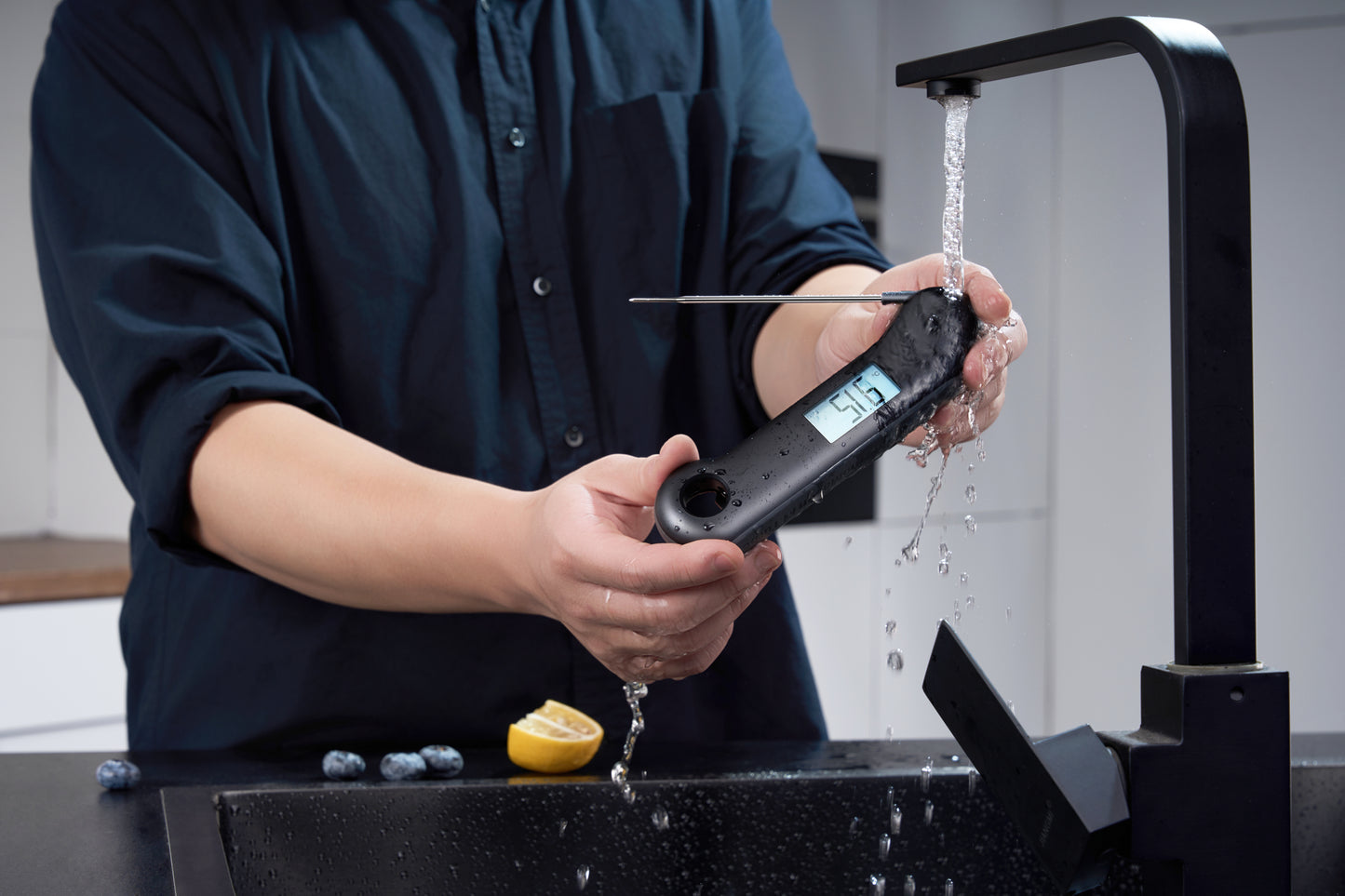
IP67 waterproofing ensures seamless grilling, even in the most challenging conditions

Grilling Convenience Maximized
Bottle opener and magnetic design for an elevated, hassle-free grilling

Verified By


Lifetime Warranty
Note: Activate your Lifetime Warranty within 30 days after purchase
 No Expiration
No Hassles
Full Coverage
Free Replacements

The Perfect Gift for Culinary Enthusiasts

BBQ

AIRFRYER

OVEN

LIQUIDS

BAKE
Inside every ThermoMaven F1 Turbo package, you will discover:

- 1 x ThermoMaven F1 Turbo, ready to revolutionize your culinary experience.
- 1 x AAA Battery to kickstart your seamless cooking adventure.
- 1 x Calibration Certificate, assuring you of our commitment to accuracy.
- 1 x User Manual to guide you through maximizing your ThermoMaven's potential.
Customer Feedbacks

Sharon Loo

I love to use this thermometer when I grill with my family. It read fast and accurately, making sure I won’t overcook my meat.

D. Dino
This ThermoMaven meat thermometer is my favorite one in these days. Love the instant read feature. When I put it into my steak, the temperature shows on the screen less than 1 sec. Much faster than those I used before and the temp seems more consistent. Recommend!

Dustin S.
I cook a lot and I need to do a lot of cooking of steaks, chicken, pork etc. so that I need a good meat thermometer to help. I tried serval before, but they are cheap made and broke easily. I used ThermoMaven for months, it has good quality and sealed well which ensure the result always accurate. They also provide lifetime warranty for their products. Will definitely keep using it!
Specs
Range
-58 to 572 °F (-49.9 to 299.9°C)
Accuracy
±0.5°F (±0.3°C) from -4 to 248°F (-20 to 120°C); otherwise ±1.8°F (±1.0°C)
Resolution
0.1°
Response Time
Full reading in 0.5 seconds (0.12 seconds time constant)*
Probe
4.3" (L) × 0.12" dia. (reduces to 0.06" dia.)
Display
0.87" (H) × 1.65" (W) (22 mm H × 42 mm W) LCD, rotates 360°, Intelligent Backlight
Operation Range
-4 to 122°F (-20 to 50°C) maximum ambient temperature of probe body.
Sleep Mode
30 seconds
Water Resistance
IP67
Battery
1 × 1.5 volt AAA
FAQs
How fast does the ThermoMaven F1 Turbo provide results?
The ThermoMaven F1 Turbo delivers instant readings in just 0.7 seconds, with an impressive accuracy of ±0.5°F (±0.3°C) .
Is the ThermoMaven F1 Turbo durable for long-term use?
Yes, designed with durable materials for extended reliability.
Is the ThermoMaven F1 Turbo waterproof?
Yes, it's IP67 waterproof, protecting against dust and can be submerged in up to one meter of water for 30 minutes without damage.
What's the warranty coverage for the ThermoMaven F1 Turbo?
We offer a lifetime warranty for every unit sold, ensuring you can cook without worry about defects or malfunctions.
How do I clean the ThermoMaven F1 Turbo?
Clean with alcohol or a food-safe anti-bacterial wipe to prevent cross-contamination. Additionally, it's recommended to quickly rinse the device with running water for efficient cleaning.
Can I put the ThermoMaven F1 Turbo in a dishwasher?
No, please do not place the ThermoMaven F1 Turbo inside a dishwasher. Hand wash only for proper care.
What's included with the ThermoMaven F1 Turbo?
Each ThermoMaven F1 Turbo package comes with the thermometer, one AAA battery, a handy screwdriver, a calibration certificate, and a comprehensive user manual.
What warranty does the ThermoMaven F1 Turbo offer?
We provide a standard 1-year warranty for the ThermoMaven F1 Turbo. However, customers can avail of a lifetime warranty if they activate their product within 30 days of purchase. For more details about our warranty policy, please visit our warranty policy page.
How do I use the calibration function of the ThermoMaven F1 Turbo?
Typically, the ThermoMaven F1 Turbo maintains its accuracy and will not require recalibration. But if a temperature discrepancy is suspected, follow these steps for calibration: Fill an insulated cup with ice made from distilled or purified water. Add enough water to cover the ice. Turn on the device and immerse the probe in the ice water, stirring continuously for one minute. The reading should stabilize between 31.5℉ (0.27°C) to 32.5℉(0.27°C). If not, and it's outside of the 28.4℉ (-0.2°C) and 35.6℉ (0.2°C) range, the calibration cannot proceed. To initiate calibration mode, press and hold the ℃/℉ button and the LOCK button for five seconds. On successful calibration, "Suc" will flash on the screen. If it shows "Err", repeat the calibration process.
How do I contact customer service?
For any inquiries, please contact our customer service at https://support.mythermomaven.com.au/support/tickets/new